
Research IRS status, financial health, program activities, and funding history as part of grantee due diligence
In this help article...Conducting due diligence on an organization is an important step for a foundation before making a grant. Funders want to confirm that a nonprofit is eligible to receive grants, financially healthy, and doing work that aligns with their grantmaking goals.
Cause IQ's organization profile pages bring the information needed for this kind of in-depth review together in one place. This includes categorization and regulatory details, such as NTEE codes and Publication 78 status, detailed financials with access to historical Form 990s, program service descriptions, grant funding information, and downloadable reports.
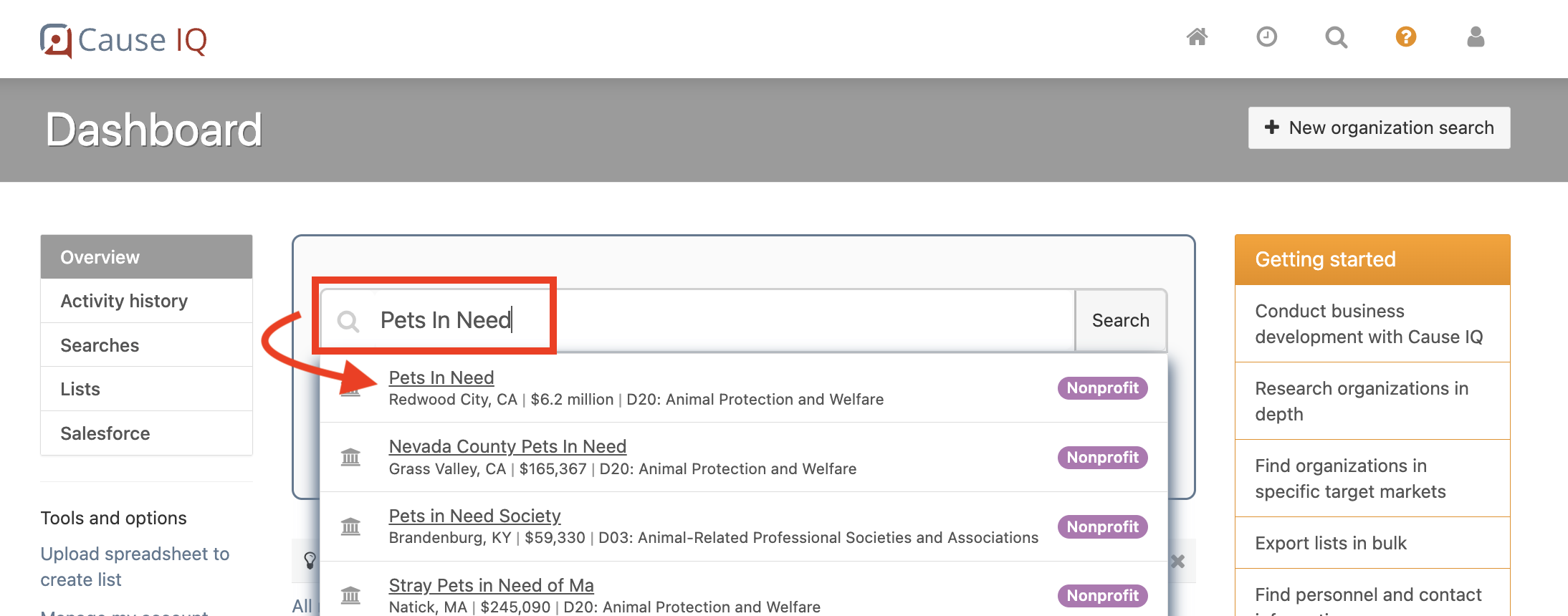
The first step is to open the profile page for the nonprofit you want to research. To do so, type the organization's name, EIN, or website URL into the Smart search box at the top of your Dashboard, and then select the correct organization from the dropdown menu. You can also click on the linked name of an organization that appears in search results or elsewhere within the website.
Here's what it looks like when searching for the organization Pets In Need within the Smart search box:
After clicking the organization's name, its profile page will open:
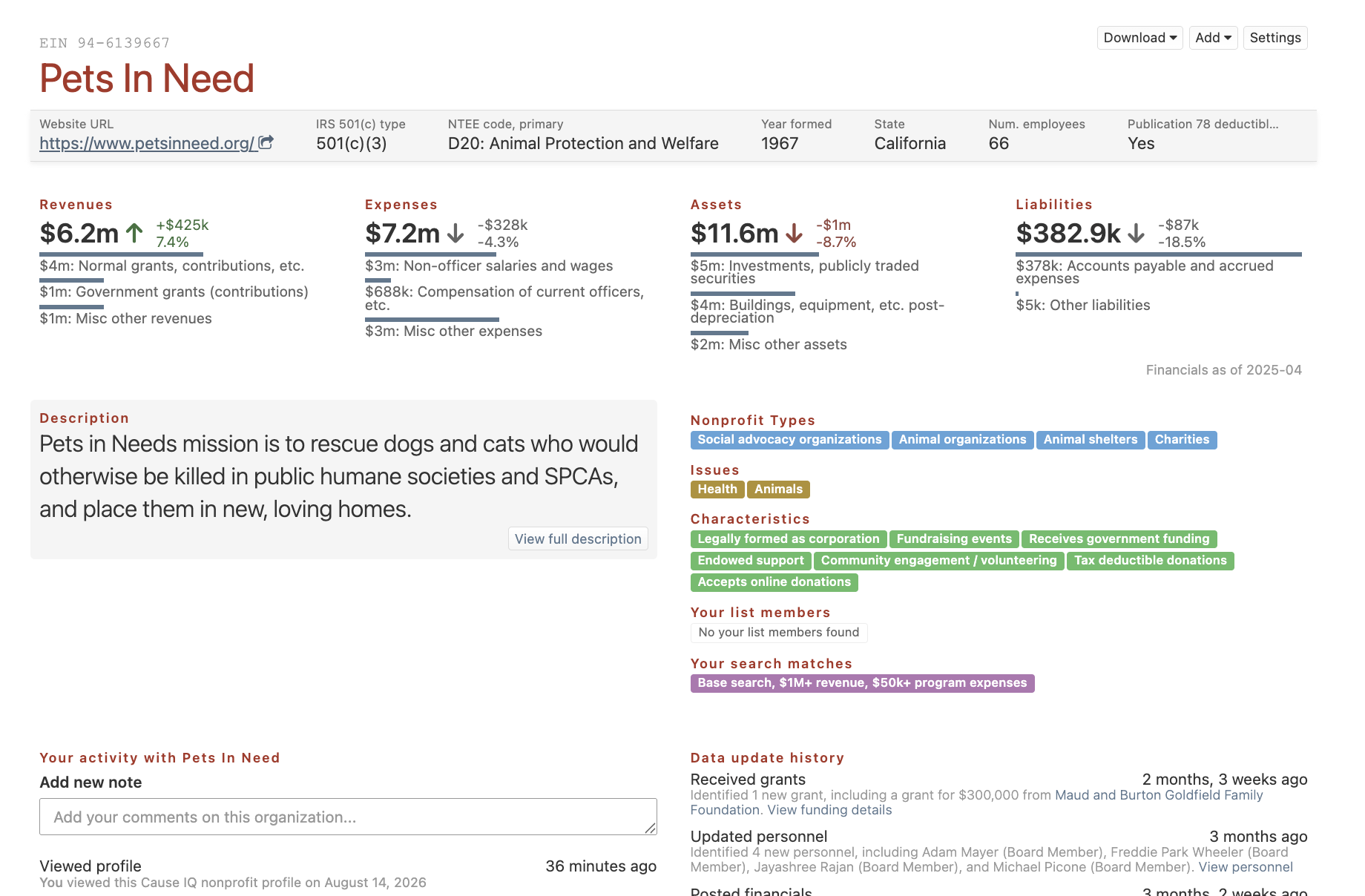
The gray bar at the top of organization profile pages can be customized to display the quantitative and qualitative data points most important to you. Once customized, your selections will appear by default at the top of every profile page you visit. Learn how to customize your organization Quick fields.
Next, scroll down the profile page and use the tabs on the left to review key information about the organization.
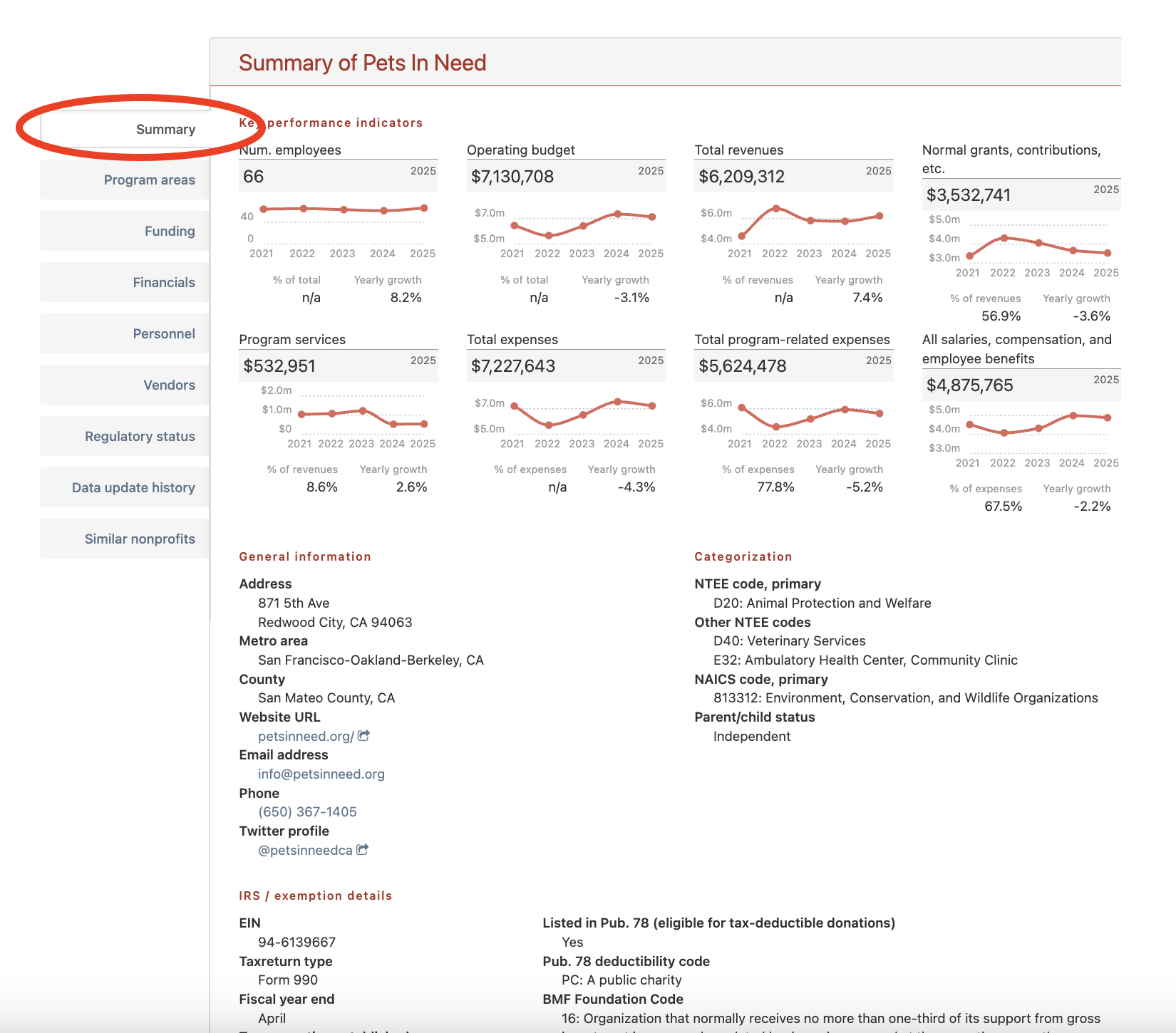
The Summary tab is the default display when you scroll to the bottom of an organization's profile page. It provides a general overview of the nonprofit, including customizable KPIs that enable you to quickly spot trends over the past five years.
This tab also provides the organization's location, website, general contact details, a snapshot of IRS exemption information, and the following categorization fields that help you understand its activities and structure:
The screenshot below shows an organization profile Summary tab:
You'll find more detailed IRS status and compliance information in the Regulatory status tab, which we'll cover next.
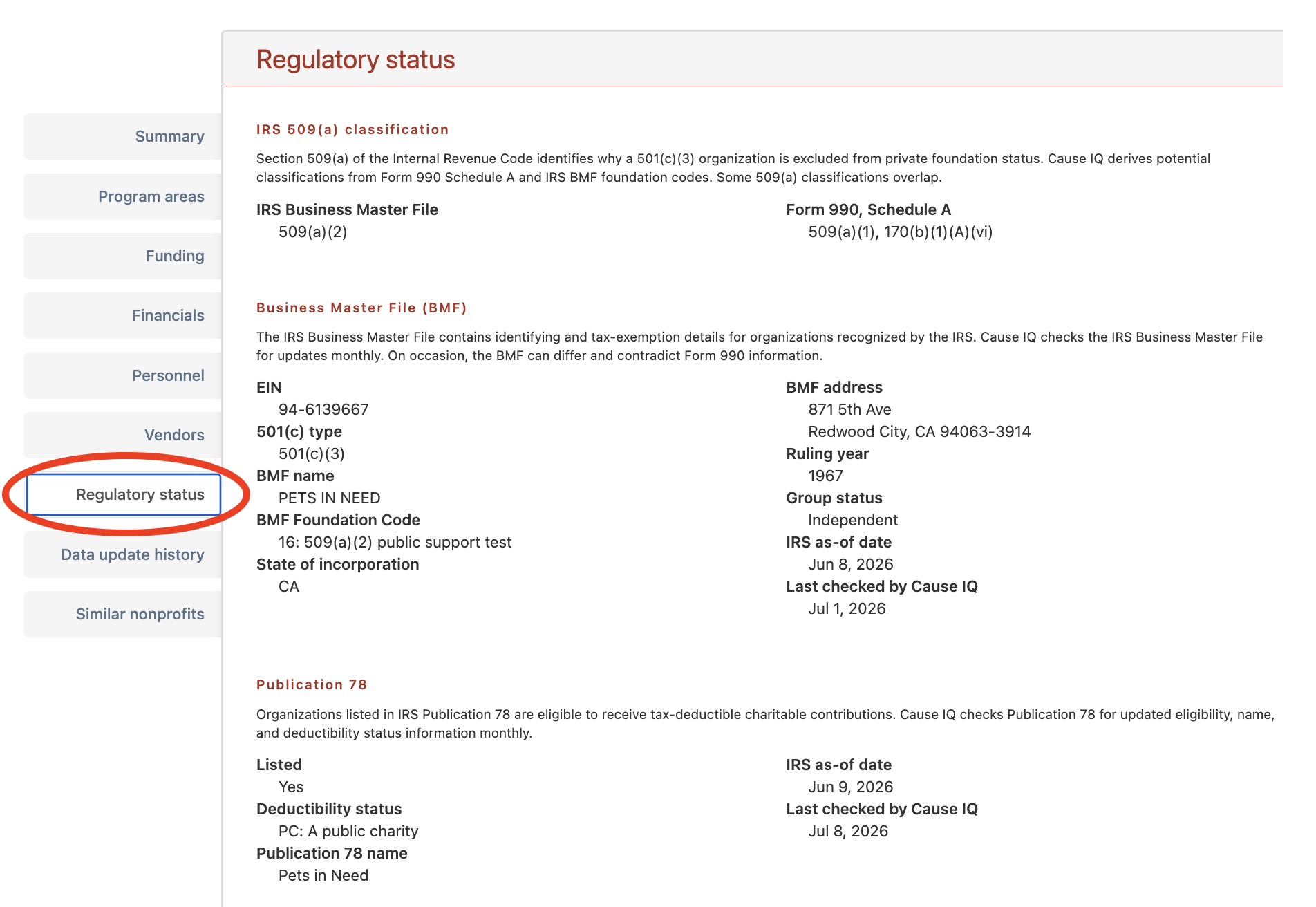
Funders use regulatory data to confirm that an organization is eligible to receive tax-deductible contributions and identify any issues that may require further review. Click the "Regulatory status" tab to compare information from IRS and California regulatory sources.
Cause IQ organizes this data into the following sections:
Where available, the tab also shows reporting dates and the date Cause IQ last checked a piece of information.
The screenshot below shows the Regulatory status tab:
Not sure what a Cause IQ field refers to or where it comes from? Use our Filter and field glossary to search, view, and download a list of all available fields, along with their definitions and sources.
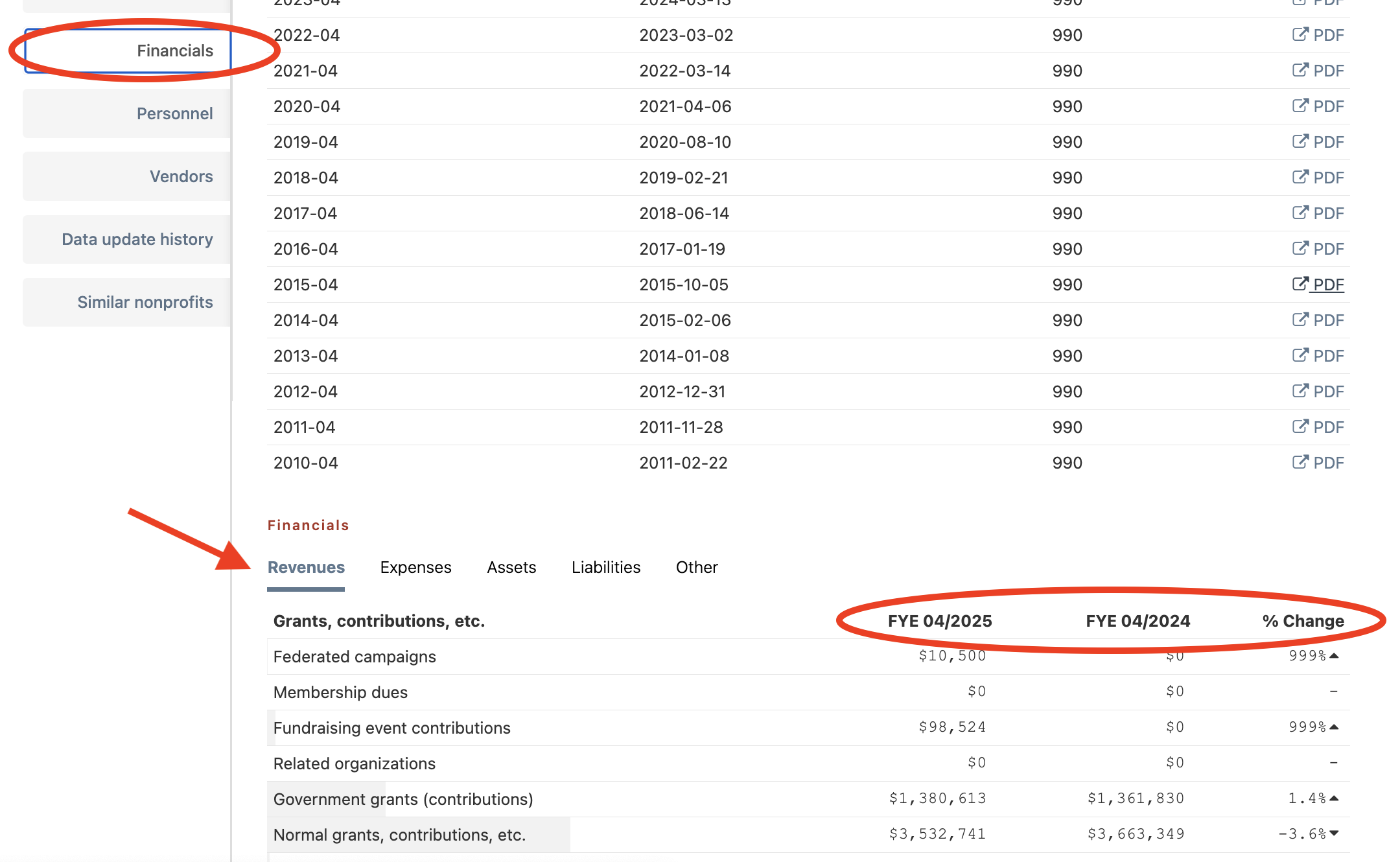
The Financials tab helps you assess an organization's financial health. This might include looking at revenue sources, expenses, assets, and liabilities, and understanding how these figures have changed over time.
At the top, you'll find the organization's most recent and historical Form 990s, available to view and download as PDF files.
Further below, Cause IQ provides digitized financials for the two most recently filed tax years, with a percent change column showing how individual metrics changed year over year.
Here's a look at the Financials tab, including PDF Form 990s at the top and digitized financials below:
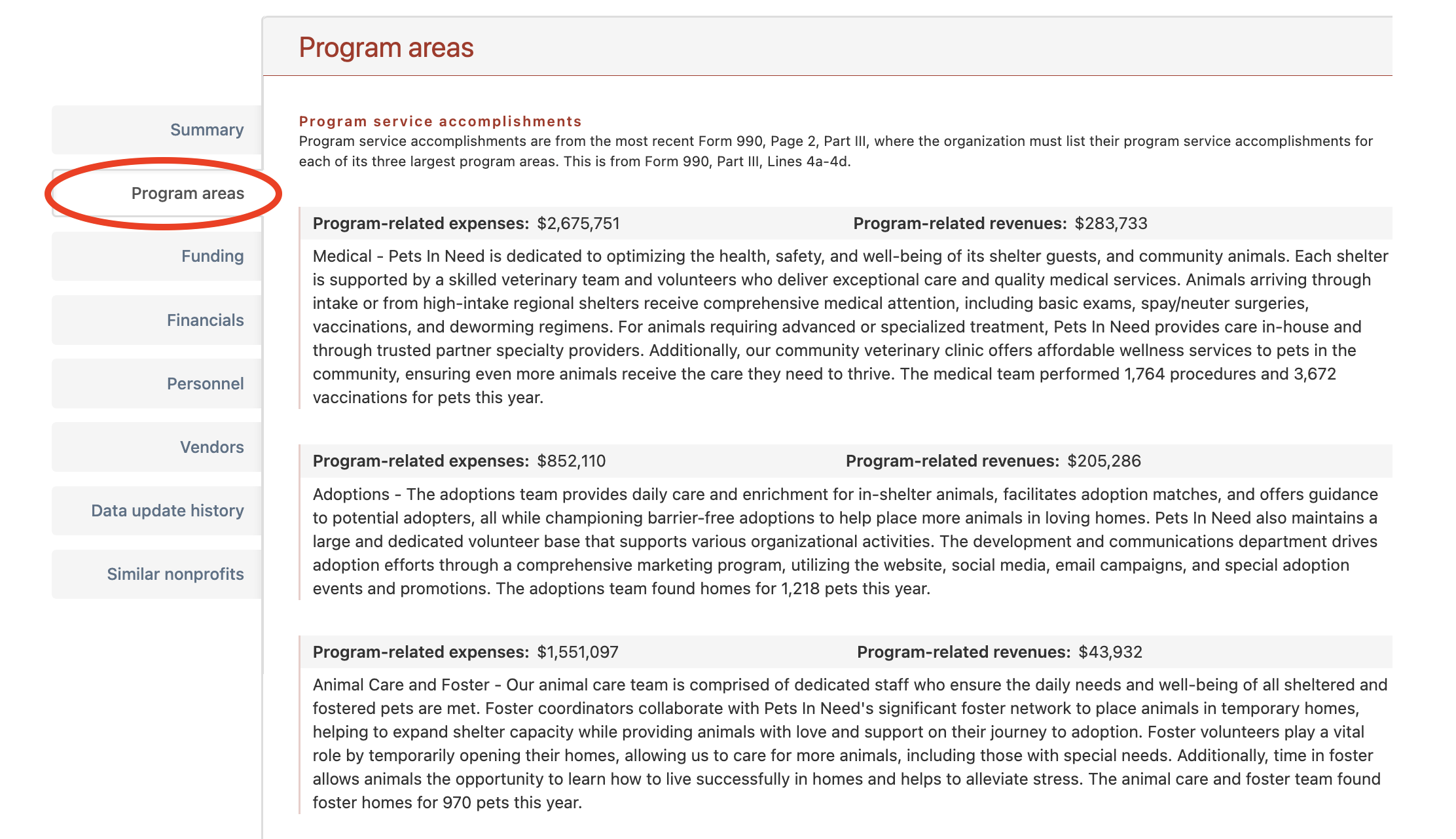
The Program areas tab helps you confirm that a nonprofit's activities from its most recently reported tax year align with your funding interests. It shows the organization's three largest program services, measured by expenses, as reported in Part III, Lines 4a through 4c of its most recent Form 990.
Cause IQ provides program descriptions along with the following financial information for each reported activity:
Here's a look at the Program areas tab on an organization's profile:
Reviewing a nonprofit's grant history tells you which foundations already fund its work, how much they give, and where a prospective grant from your foundation would fit within its overall funding.
Click the "Funding" tab to view the organization's funding sources and grants received. The top of the tab provides a breakdown of the nonprofit's income sources, followed by a Fundraising events section showing any events reported on Schedule G of its most recently filed Form 990.
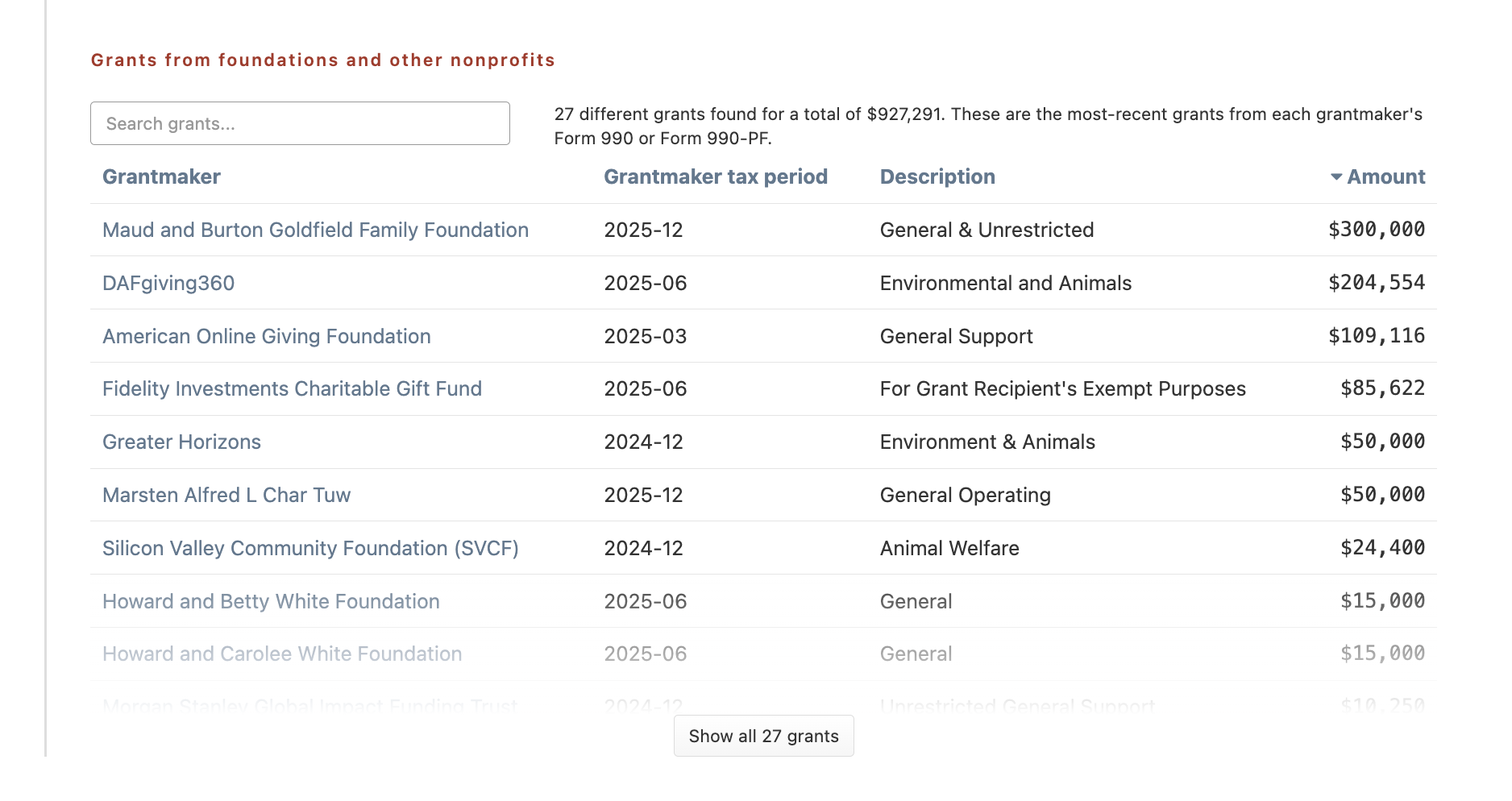
Scroll down to the section labeled "Grants from foundations and other nonprofits" to see a list of grants the organization received, organized into the following columns:
If a nonprofit has a long list of foundation grants, use the search box at the top to quickly determine whether a specific funder supports the organization.
Note that grant information comes from the grantmaker's IRS return, not the recipient organization's. Depending on the filing type, Cause IQ pulls grant information from Part XIV of the Form 990-PF or Schedule I of the Form 990.
Here's a look at a grants list within an organization's Funding tab:
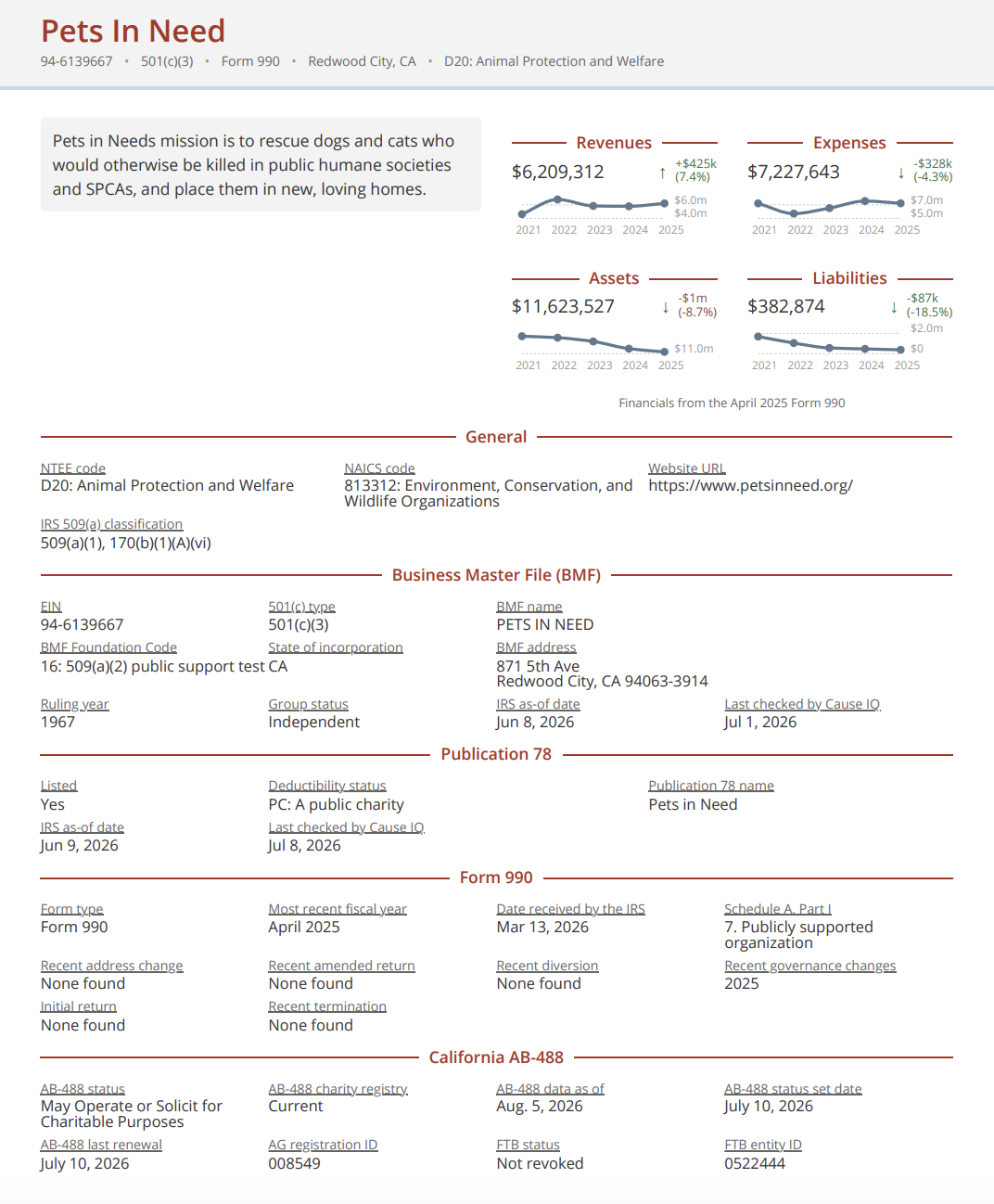
Downloading reports allows you to share your research with colleagues or board members, save it to a grantee file, and work with the data outside the Cause IQ platform. Click the "Download" button in the upper-right of an organization's profile page to access the following reports:
The Regulatory PDF is particularly useful for documenting the compliance data reviewed during due diligence.
Here's a look at this report for Pets In Need:
© 2026 Nonprofit Metrics LLC
Terms of Service and Privacy Policy
225 West Front Street
Missoula, MT 59802