
Published Aug. 18, 2025
View up to 2,500 current and past grants made by a specific funder
You can now see detailed historical grant information on the Grantmaking worksheet of Cause IQ’s detailed Excel organization reports. This update enables you to view up to 2,500 grants made by a foundation or other grantmaking organization, providing a more complete picture of their funding activity over time.
To access this information, start by opening the funder's organization profile page in Cause IQ.
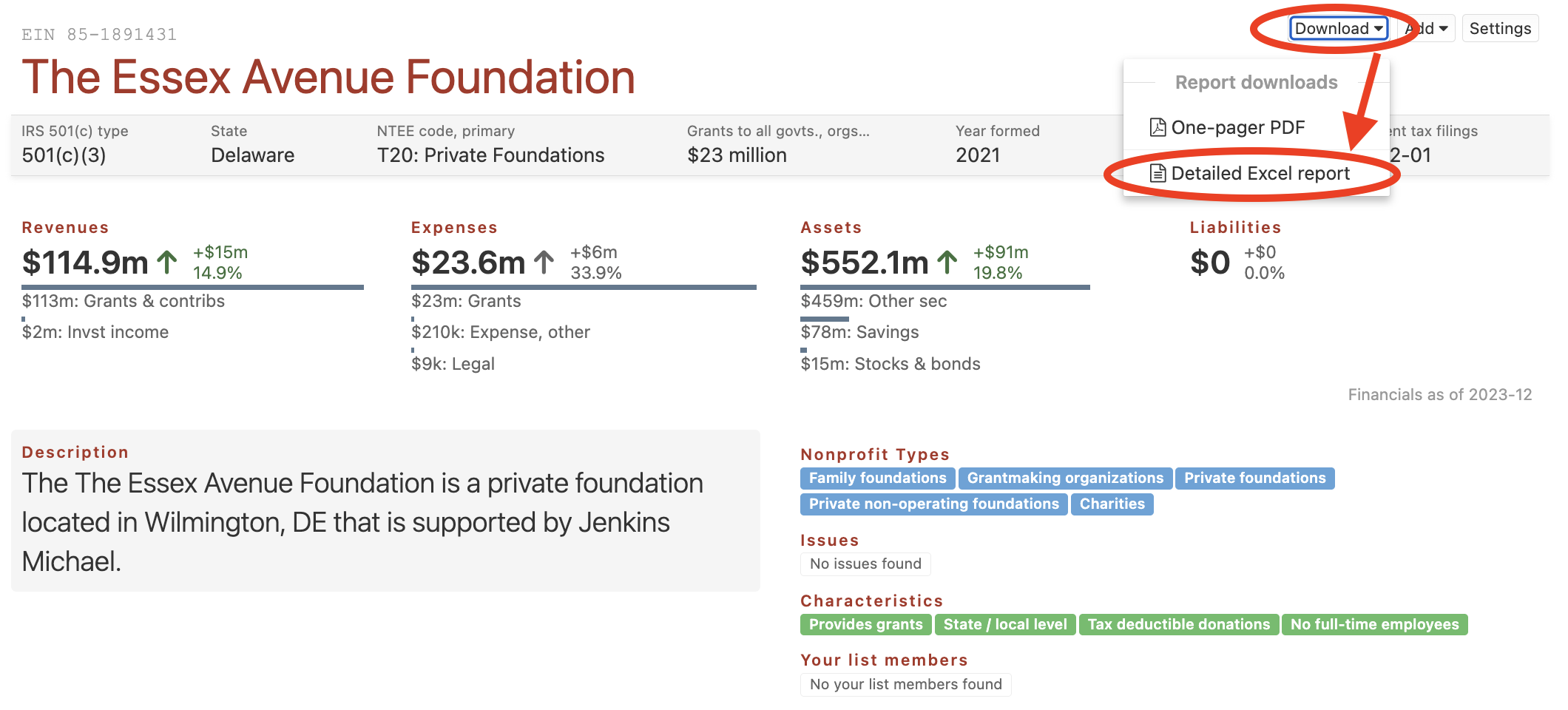
Next, click the "Download" button in the upper-right of the page and select "Detailed Excel report" from the dropdown menu. The Excel file will download directly to your computer.
The screenshot below shows where to access and download this report from an organization's profile page:
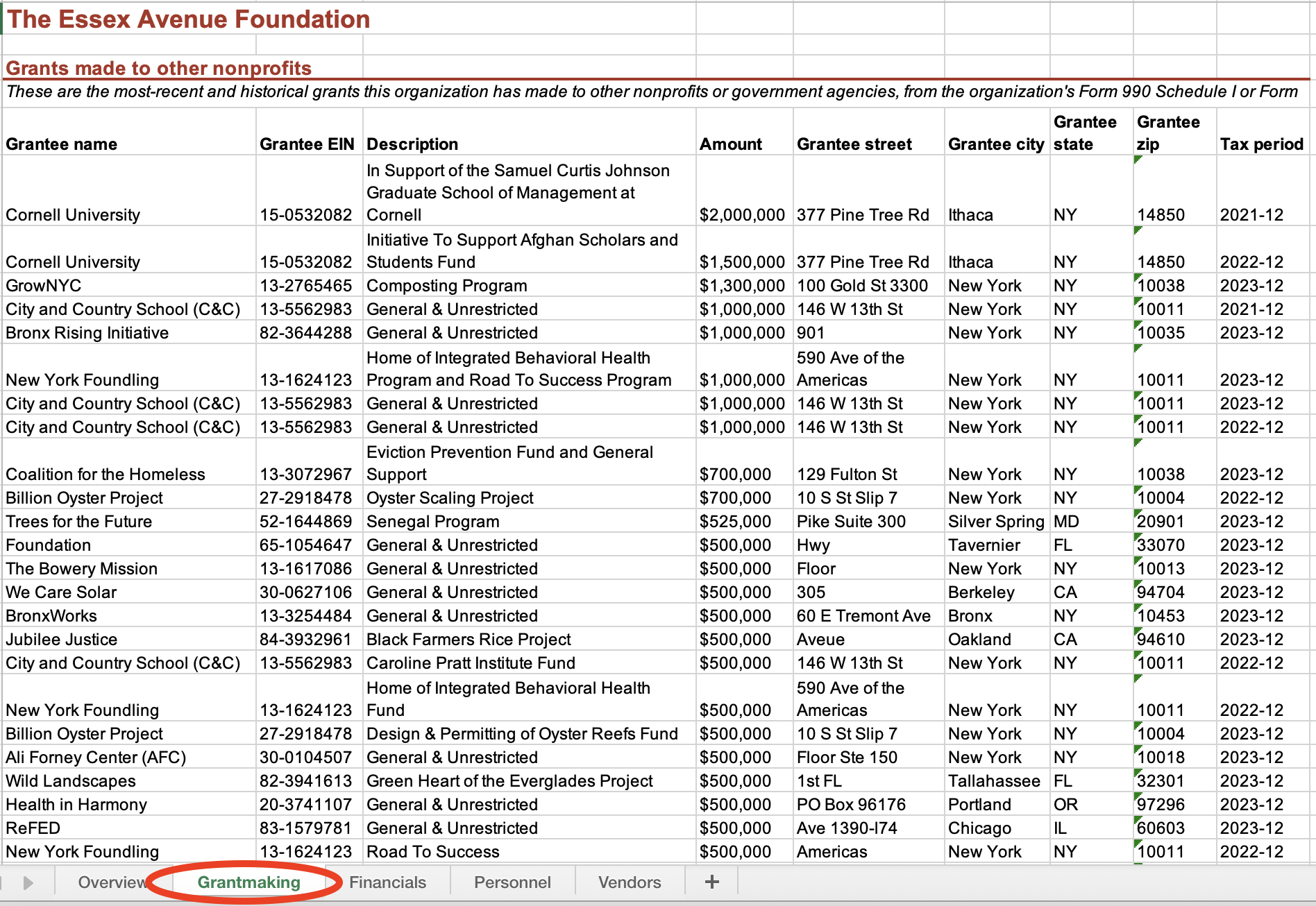
Once downloaded, open the file and navigate to the Grantmaking worksheet along the bottom of the page. Here you'll find a list of up to 2,500 current and past grants made with the following columns of data:
The screenshot below shows "Grants made to other nonprofits" within the Grantmaking worksheet of a foundation's detailed Excel report.
© 2026 Nonprofit Metrics LLC
Terms of Service and Privacy Policy
225 West Front Street
Missoula, MT 59802